
Adding A New Post (continued)
9. Categories
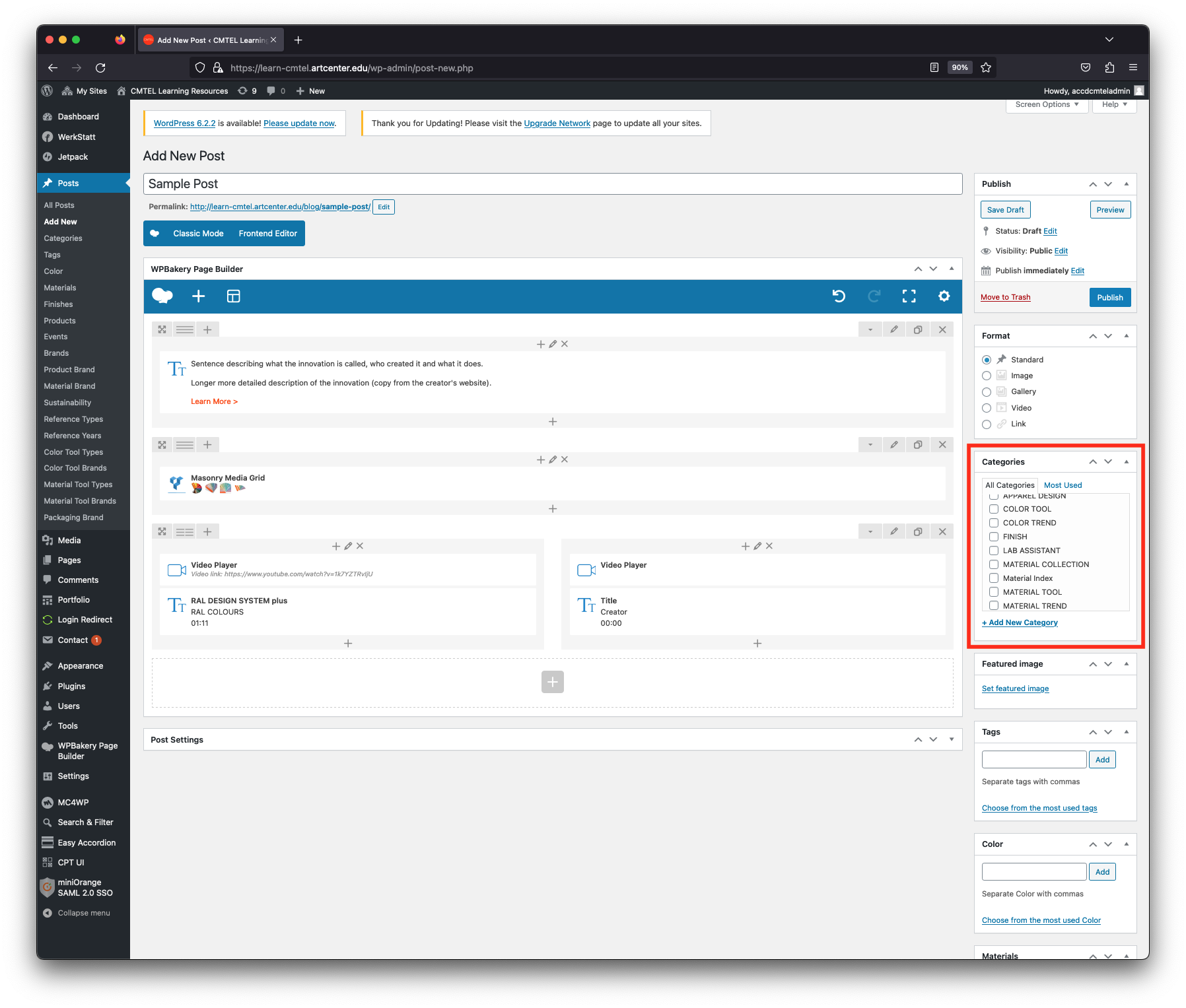
In this final section you will be selecting and adding taxonomy data about the innovation under categories, tags and custom fields. This will enable the post to be searchable and identified with properties including color, material type, sustainability and brand. Make sure you have confirmed the details with Marshall and inputted them previously into the Google Sheet linked to the event.
You will edit taxonomies in the far right column. There are 18 different fields, however you will use specific fields depending on the type of trend innovation. This is determined by choosing the innovation’s “Categories” first. Here, you will check the box according to the innovation type: “Color Trend”, “Material Trend” or “Product Trend”.
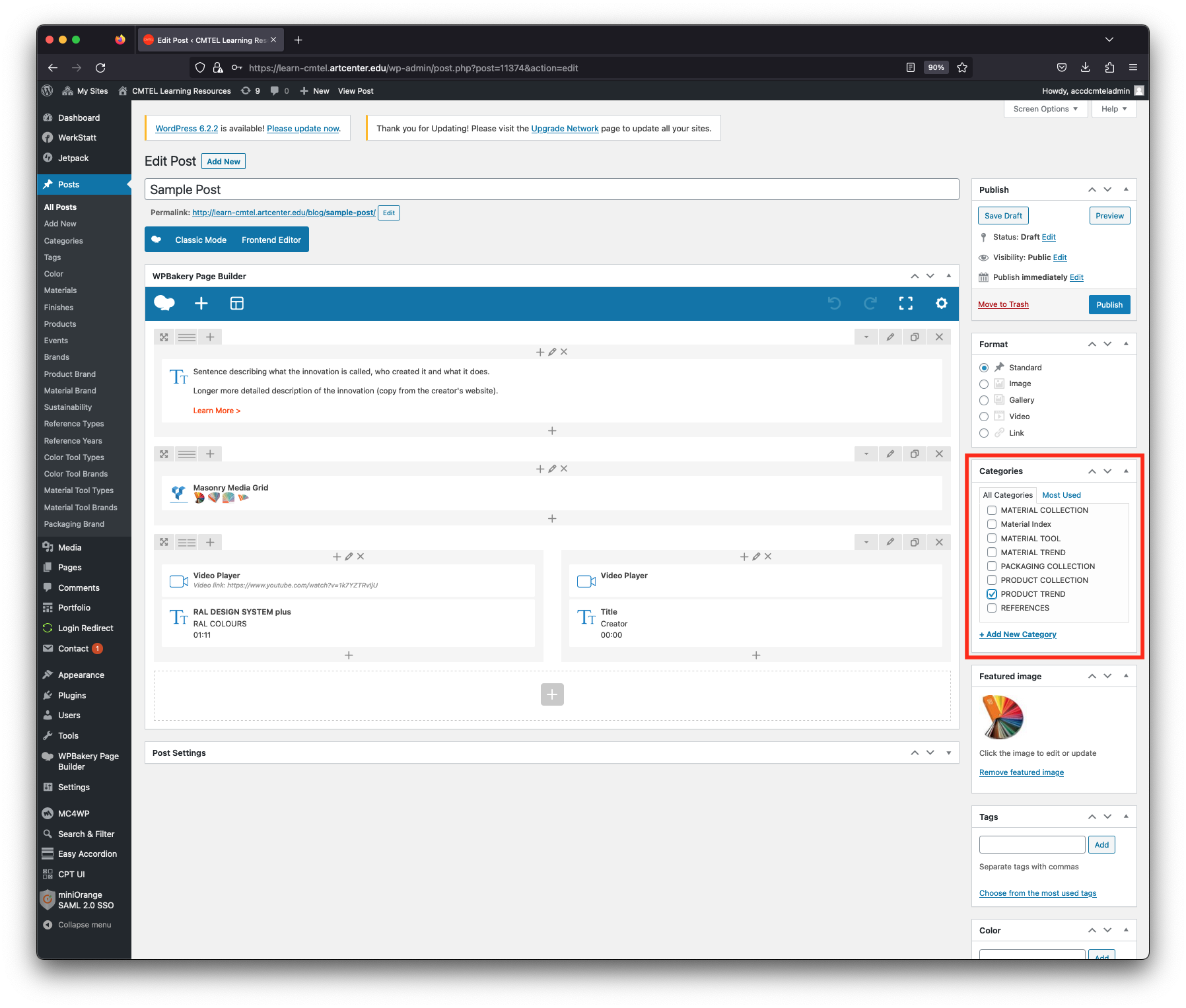
> Product Trend
A Product Trend is an innovation which is debuted by a brand and usually announced at a major design event (for example, the Worldwide Developer’s Conference) and sometimes connected to a color or material. In that case, you can also check the Color Trend or Material Trend boxes if appropriate. For the example post let’s assume the product is Apple’s VisionPro.
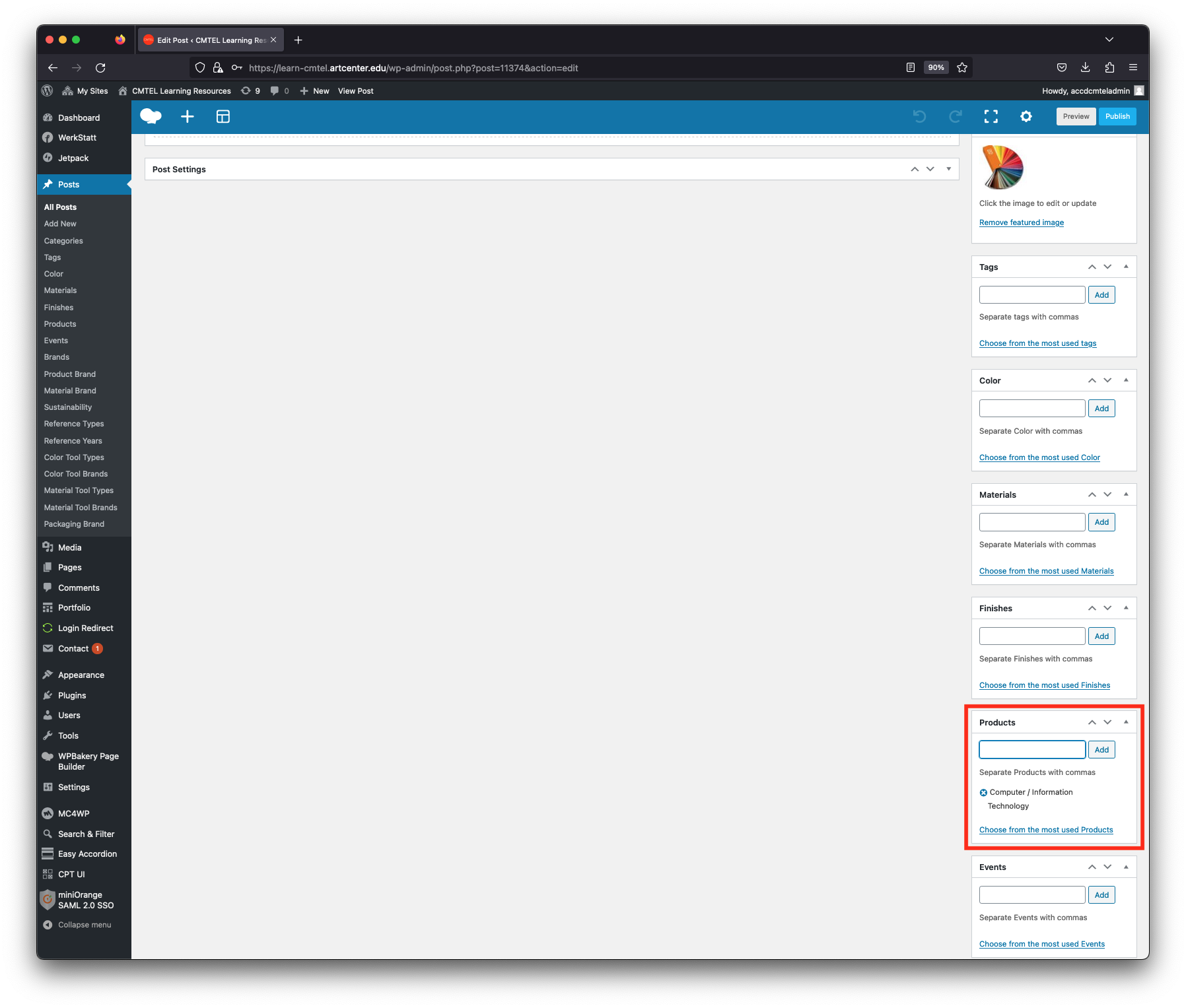
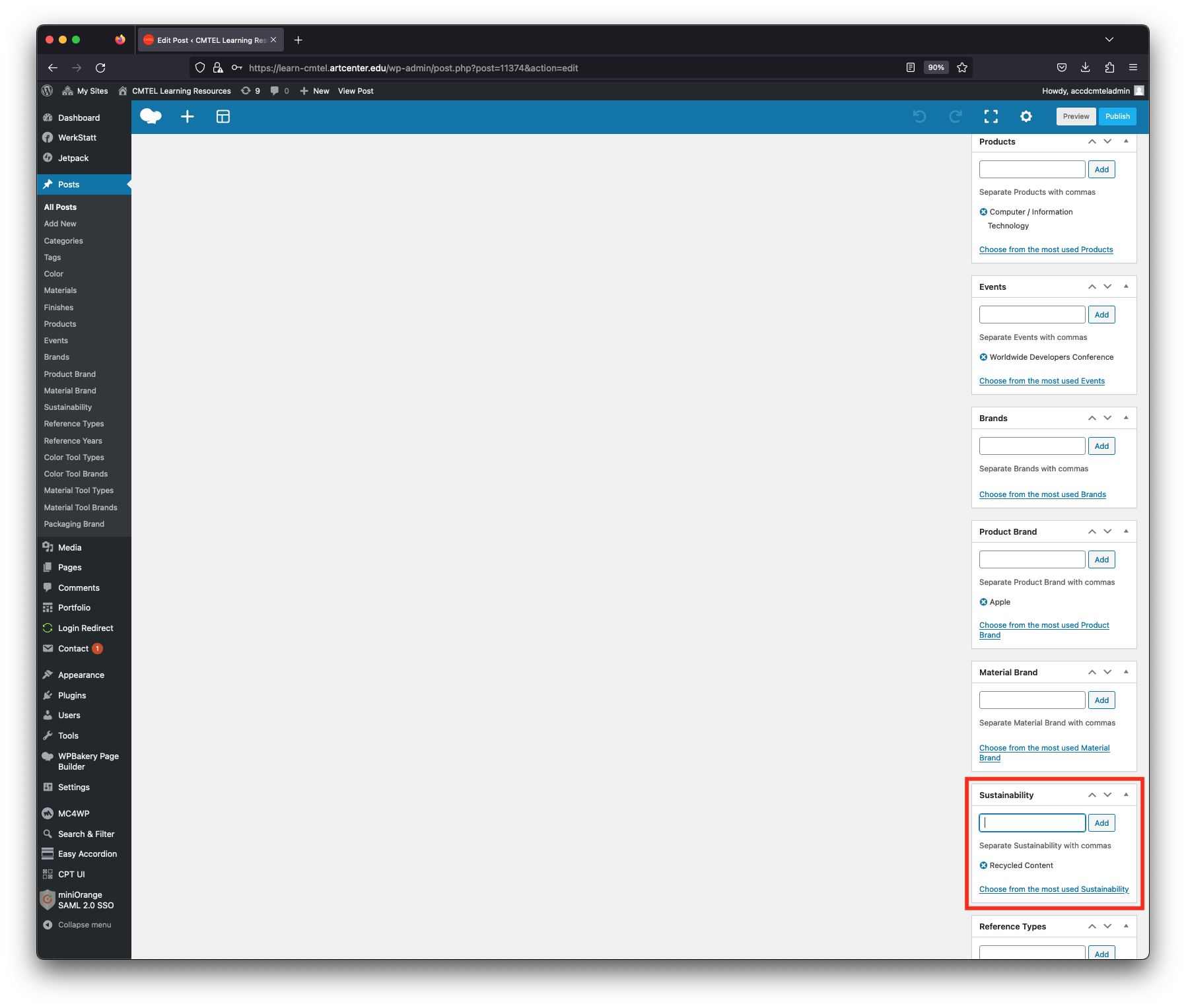
After checking the Product Trend box, find the “Products” field below the Categories field. Input the type that best describes the product trend. CMTEL’s product types are:
Aerospace, Air Conditioning/Heating, Audio, Automotive, Baby/Children, Bags/Luggage, Bathroom/Sanitary Equipment, Bathroom Faucets/Shower, Bed/Bedroom Furniture, Beverage, Bike/Bike/Accessories, Camera/CameraEquipment, Commercial Vehicles, Communication Technology, Computer/Information Technology, Cookware/Cooking Utensils, Drones, Eyewear, Fashion/Lifestyle Accessories, Footwear, Gaming, Garden Appliances/Equipment, Garden Furniture, Healthcare Equipment, Home/Seating Furniture, Home Entertainment, Household Appliances/Accessories, Industrial Equipment, Interior Architecture/Design, Jewelry, Kitchen Appliances/Accessories, Kitchen Faucets/Sinks, Kitchens/Kitchen Furniture, Lamps and Luminaires, Lighting Systems, Materials/Surfaces, Medical Equipment/Technology, Mobile Electronics, Motorcycle, Motorhomes/Caravans, Music Equipment, Office Chairs/Furniture, Outdoor/Camping Equipment, Packaging, Personal Care/Wellness, Pet Equipment/Accessories, Robotics, Sports Equipment, Tableware, Tools, Toys, Trains, Urban Design, Vehicle Accessories, Watches, Watercraft.
As you enter the first 3 characters the autofill will suggest the product type and you can click on it to select it. Or you can type it all yourself and then select the “Add” button (Computer/Information Technology has been added in the example post).
In cases where the product has more than one type represented, choose the type that best describes the product. Otherwise you can add other types as well.
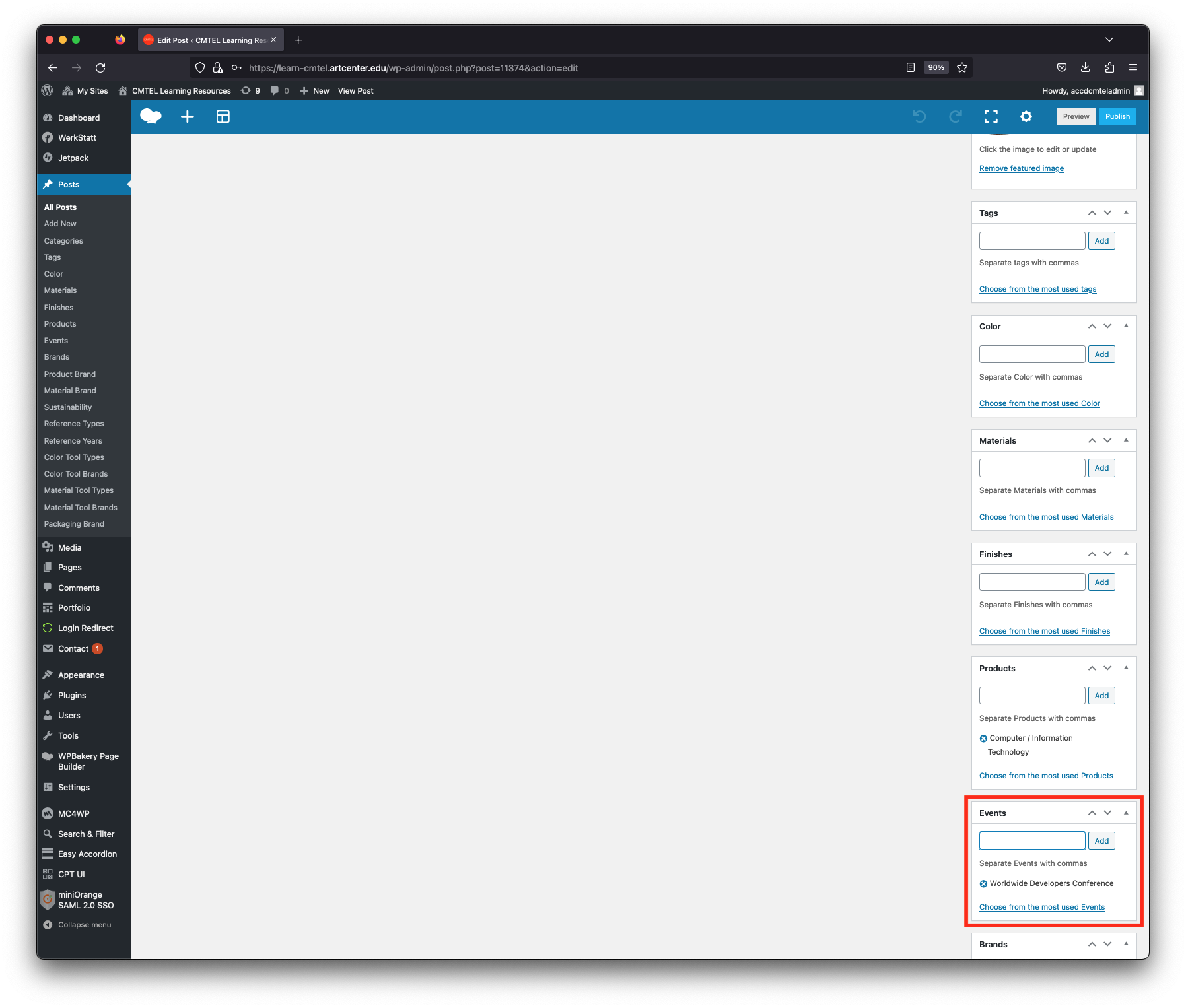
After the “Products” field, find the “Events” field. Enter the event name where the product was announced. In the example post the event “Worldwide Developers Conference” has been added.
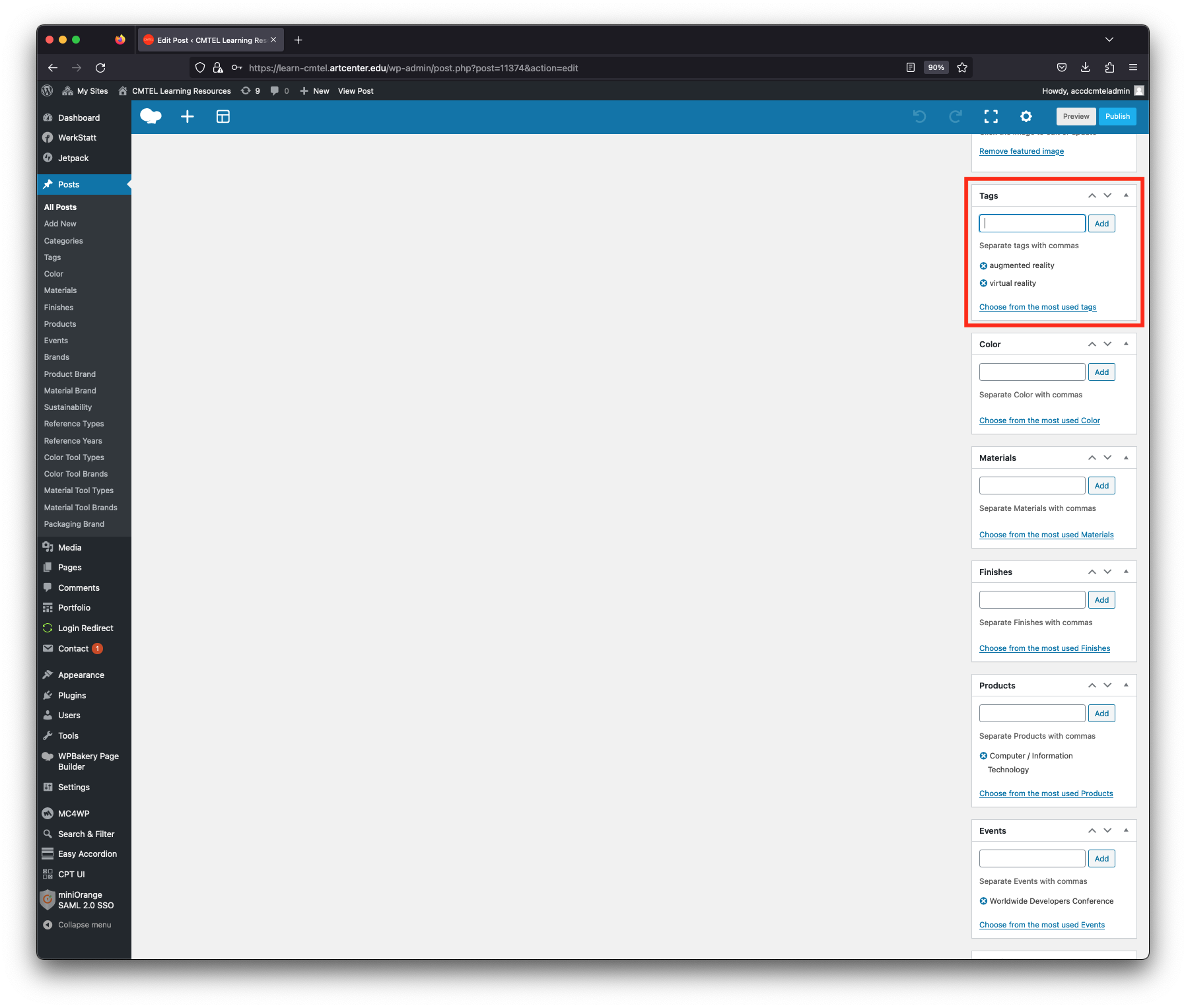
After the “Events” field, find the “Tags” field above. Enter all the tags associated with the color trend. In the example post the tags “augmented reality” and “virtual reality” have been added.
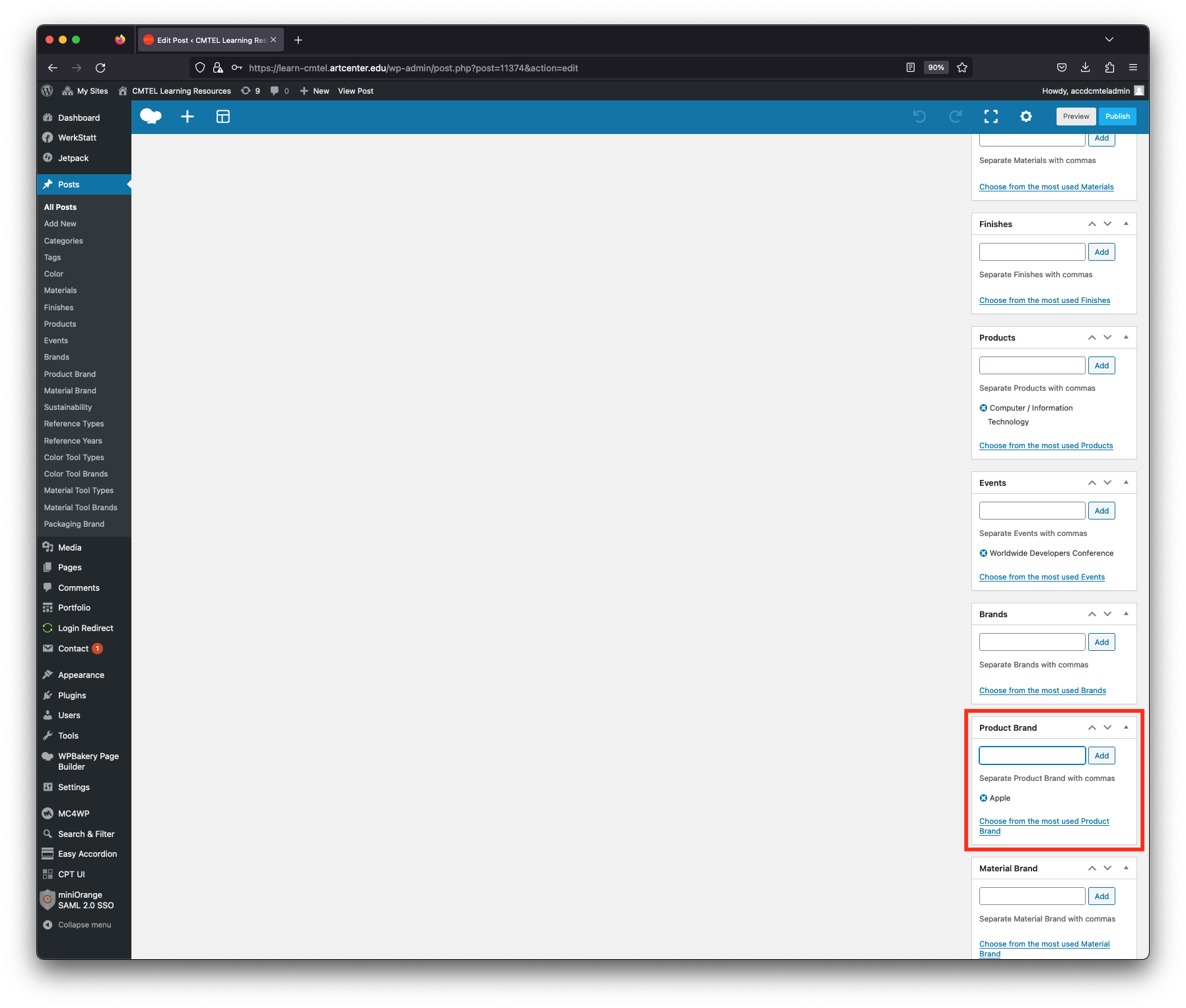
After the “Tags” field, find the “Product Brand” field. Enter the name of the material manufacturer. In the example post the manufacturer “Apple” has been added.