
Adding A New Post (continued)
8. Categories
In this final section you will be selecting and adding taxonomy data about the innovation under categories, tags and custom fields. This will enable the post to be searchable and identified with properties including color, material type, sustainability and brand. Make sure you have confirmed the details with Marshall and inputted them previously into the Google Sheet linked to the event.
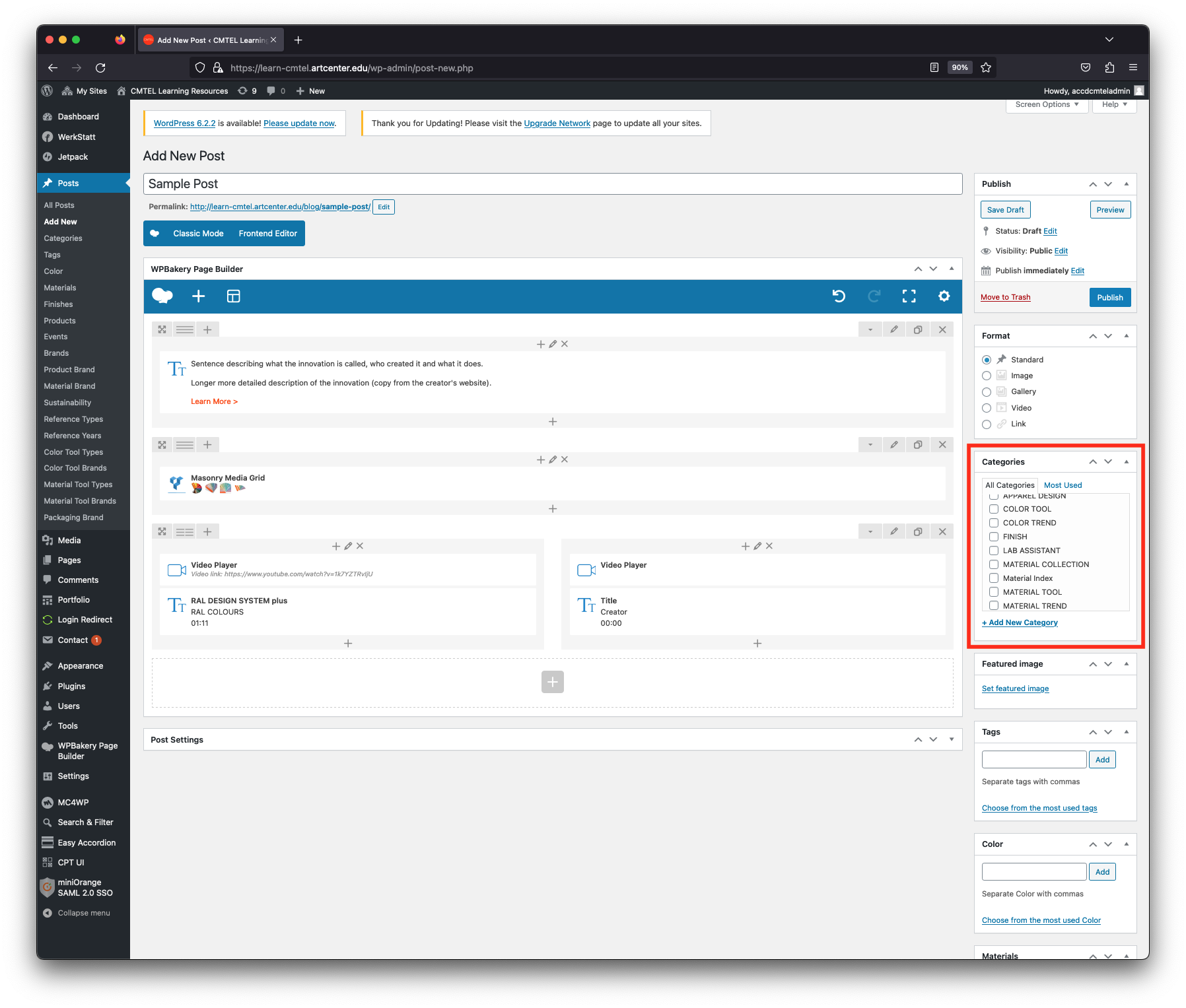
You will edit taxonomies in the far right column. There are 18 different fields, however you will use specific fields depending on the type of trend innovation. This is determined by choosing the innovation’s “Categories” first. Here, you will check the box according to the innovation type: “Color Trend”, “Material Trend” or “Product Trend”.
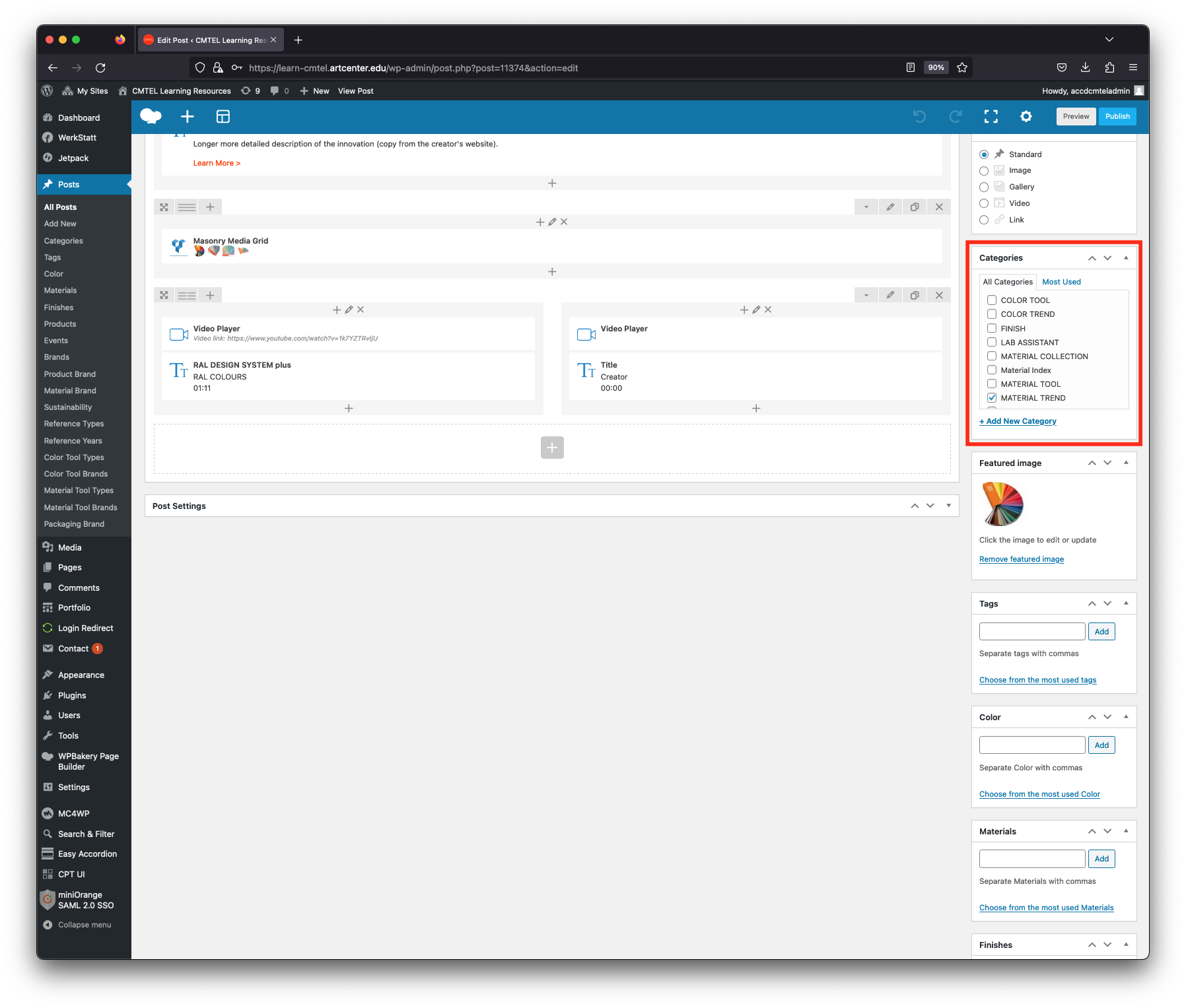
> Material Trend
A Material Trend is an innovation which can debut a new formulation, demonstrate a new process, or exhibit a new application. These are usually announced at a major design event (for example, the Outdoor Retailer Show) and often connected to a product. In that case, you can also check the Product Trend box if appropriate.
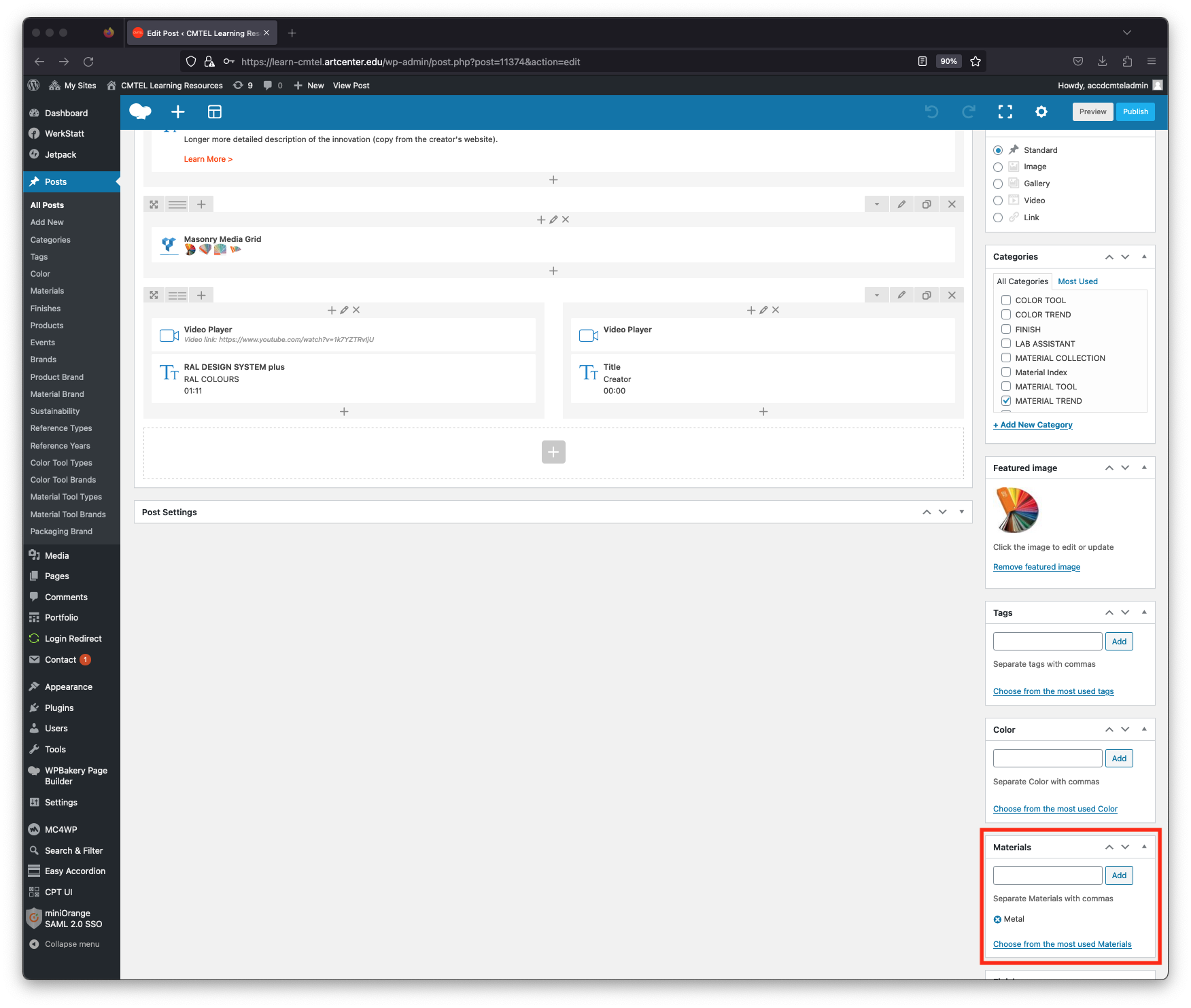
After checking the Material Trend box, find the “Material” field below the Categories field. Input the material family that best describes the material trend. CMTEL’s families are:
Carbon
Ceramic
Coating
Concrete
Fabric
Glass
Metal
Natural
Polymer
Dynamic
As you enter the first 3 characters the autofill will suggest the material family and you can click on it to select it. Or you can type it all yourself and then select the “Add” button (Metal has been added in the example post).
In cases where the trend has more than one material represented, choose the family that is the dominant one. Otherwise you can add all the material families identified.
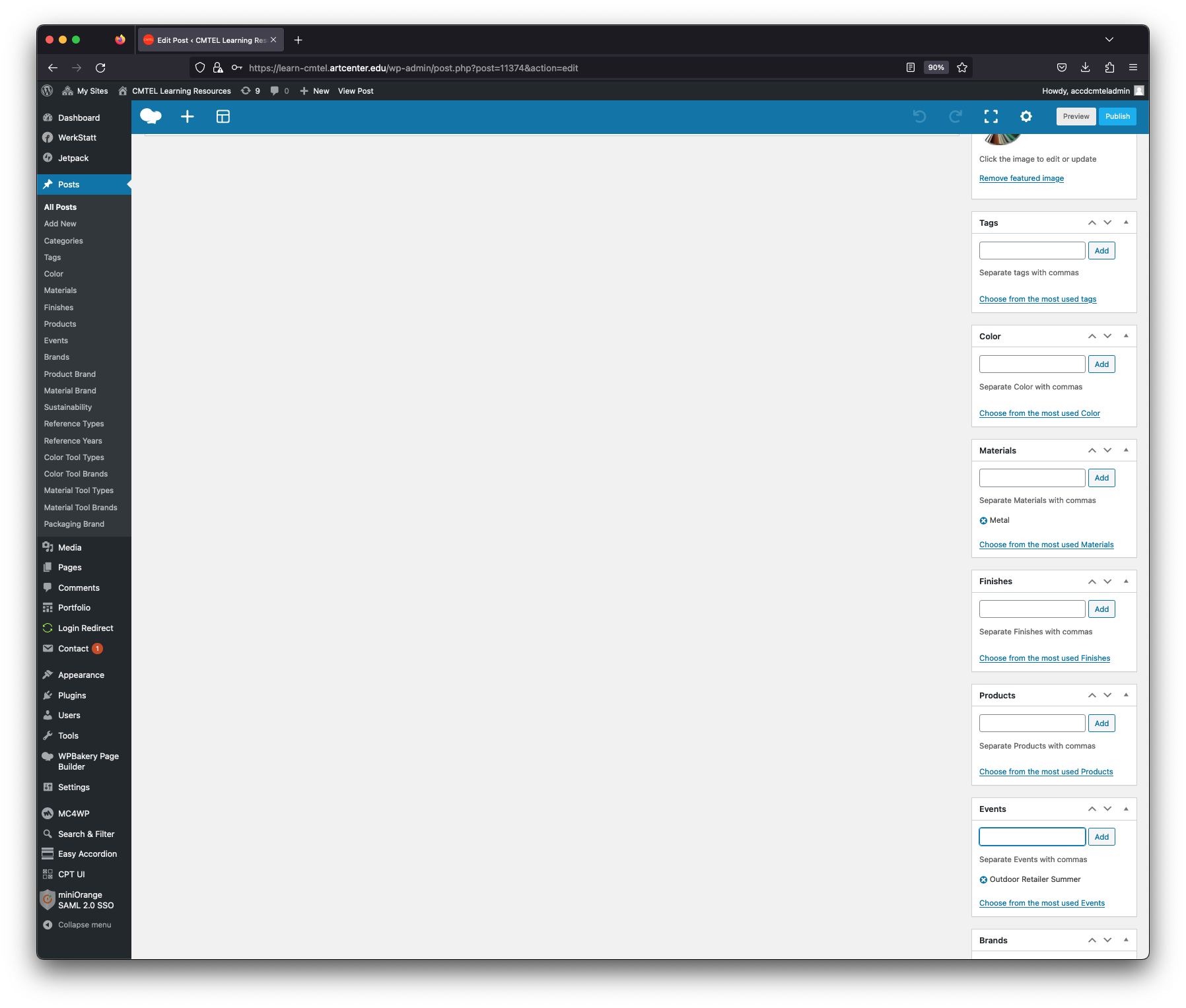
After the “Material” field, find the “Events” field. Enter the event name where the material was shown. In the example post the event “Outdoor Retailer Summer” has been added.
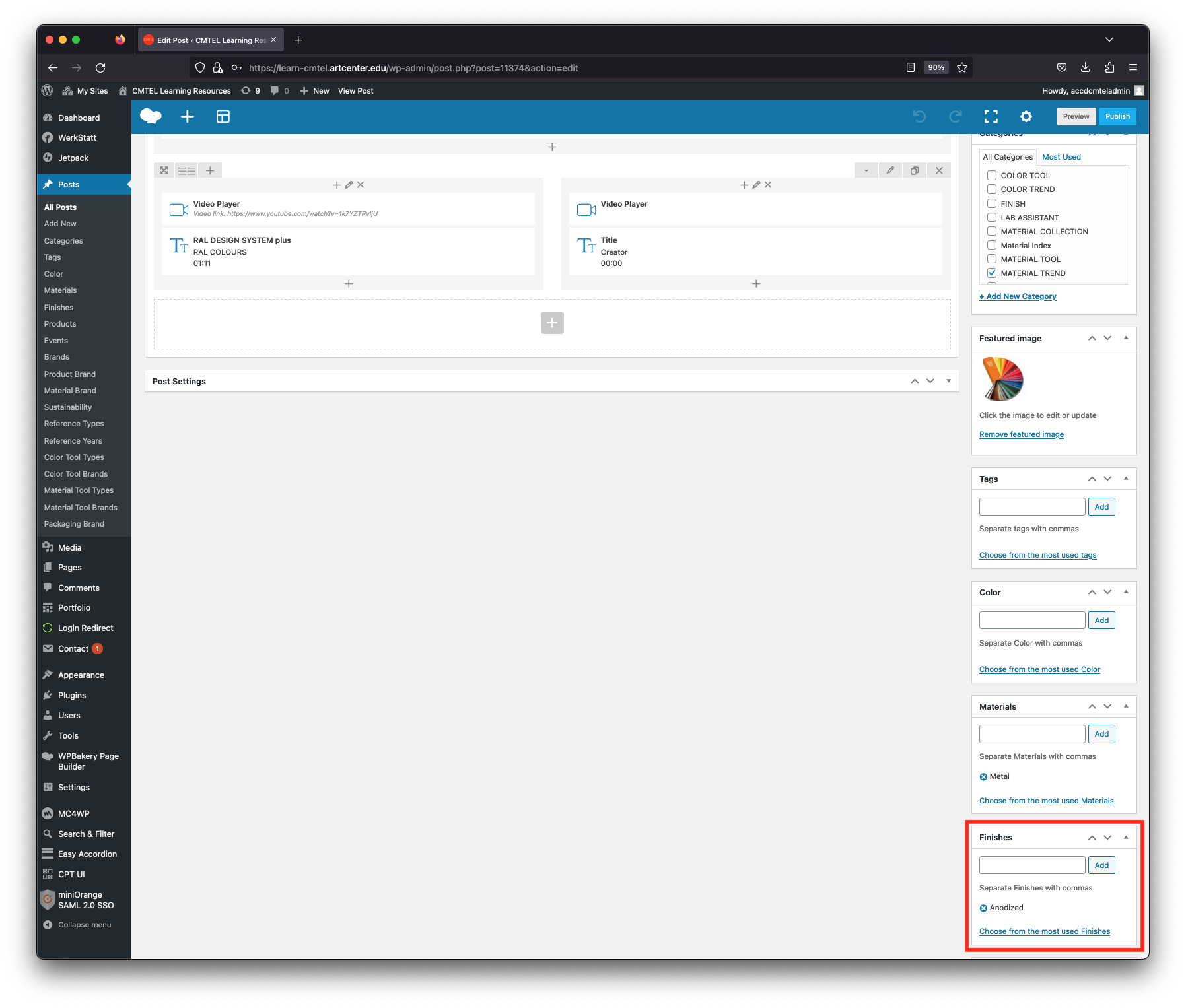
After the “Events” field, find the “Finishes” field. Enter all the words associated with the material’s finish. In the example post the word “anodized” has been added.
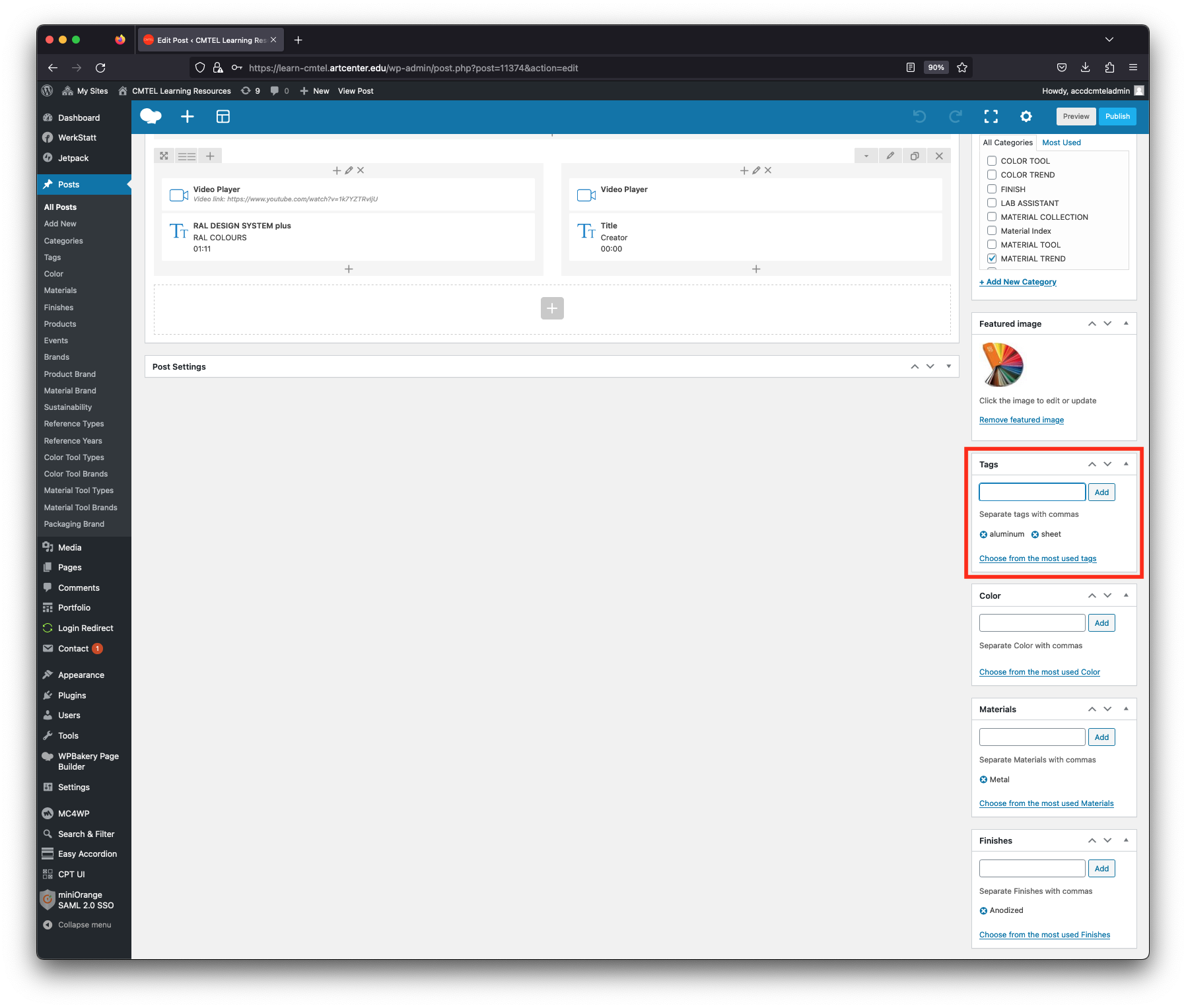
After the “Finishes” field, find the “Tags” field above. Enter all the tags associated with the color trend. In the example post the tags “aluminum” and “sheet” have been added.
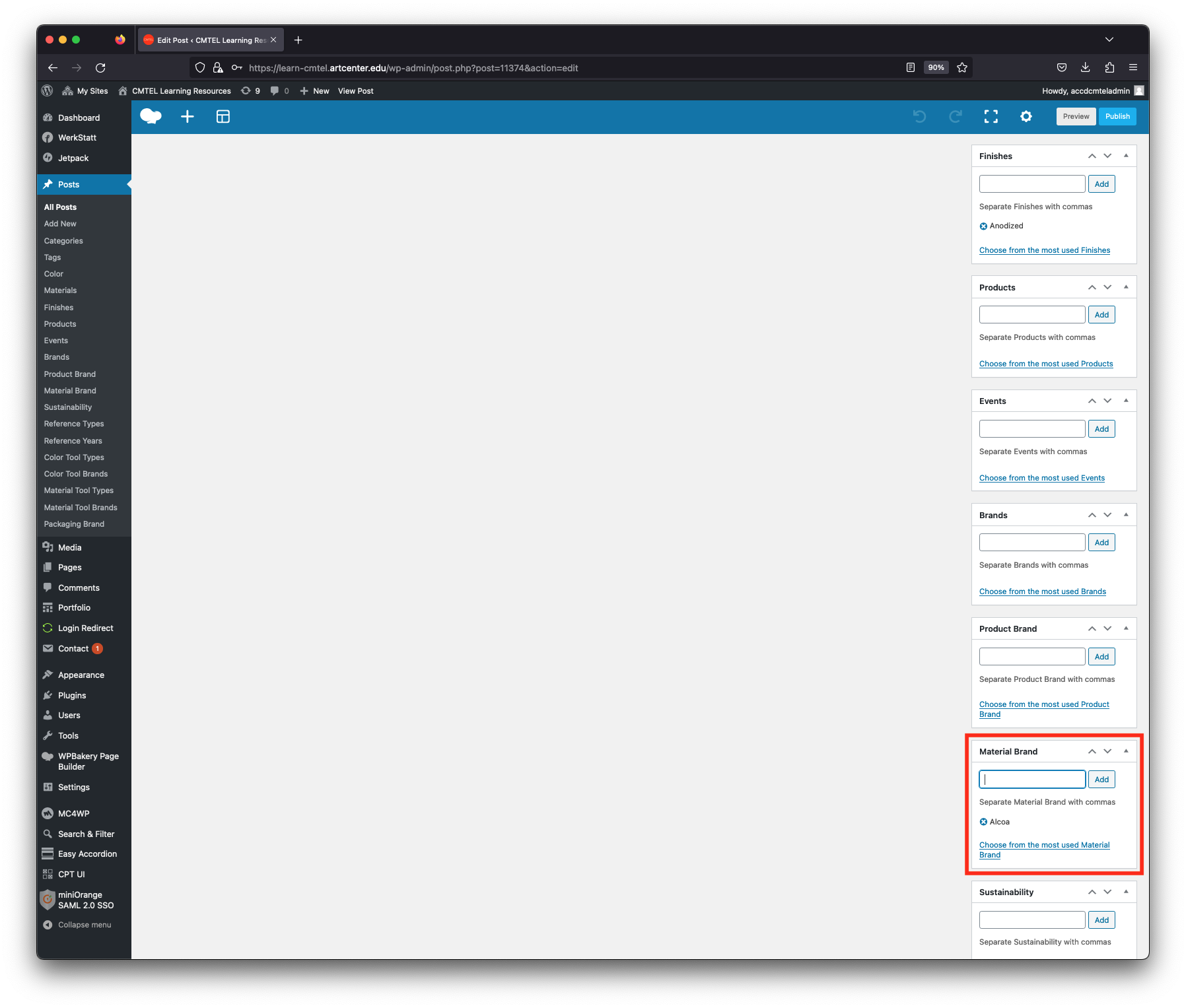
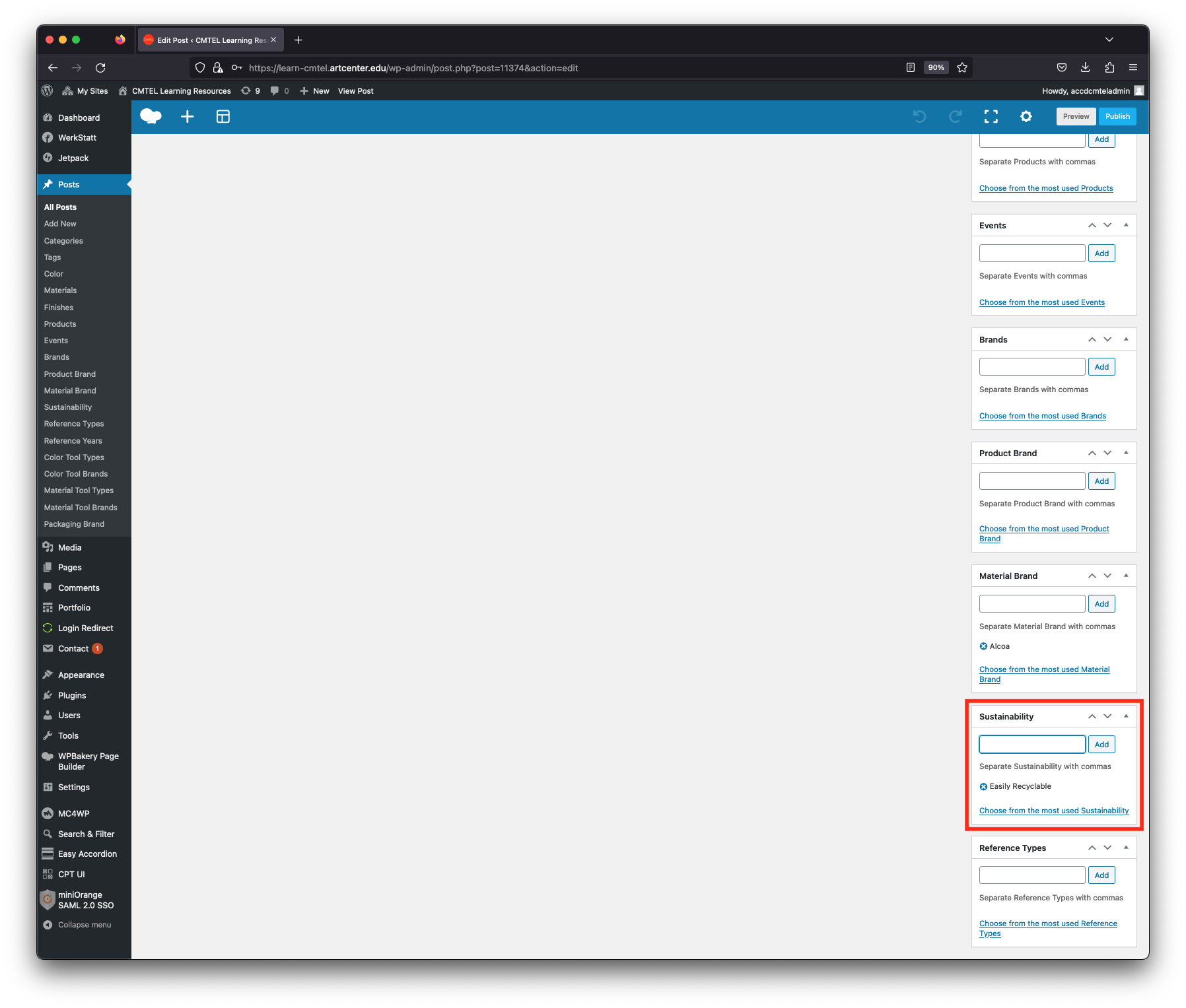
After the “Tags” field, find the “Material Brand” field. Enter the name of the material manufacturer. In the example post the manufacturer “Alcoa” has been added.